How to link your PAN with Aadhaar
Pay the late fee, link PAN and Aadhaar on the Income Tax e-Filing portal, and check that the link worked.
سرکاری ماخذ: Income Tax e-Filing portal (Income Tax Department)
The law says your PAN must be linked to your Aadhaar. If it is not linked, your PAN can become inoperative. Then you cannot get tax refunds, and tax may be cut from your income at a higher rate. Linking it again makes the PAN work again.
You can do the whole thing yourself on the official portal, in three parts: pay the fee, wait a few days, then link.
Documents you will need
- Your PAN (the 10-character number on your PAN card).
- Your Aadhaar number (12 digits).
- A mobile phone that can receive an OTP.
- Net banking, a debit card or UPI to pay the fee.
Who does not need to link
The portal's Link Aadhaar page lists these exempted groups (Department of Revenue Notification 37/2017):
- Non-resident Indians (NRIs)
- People who are not citizens of India
- People who were more than 80 years old at any time during the previous year
- People whose state of residence is Assam, Meghalaya or Jammu & Kashmir
The fee
If you link after the due date you must pay a fee before you can link. The Income Tax Department's FAQ says the fee is ₹1,000 (Rule 114(5A)). You do not type the amount yourself: the portal fills it in for you.
Part 1: Pay the fee
-
Open the Income Tax e-Filing portal. Under Quick Links, click Link Aadhaar/View Status.
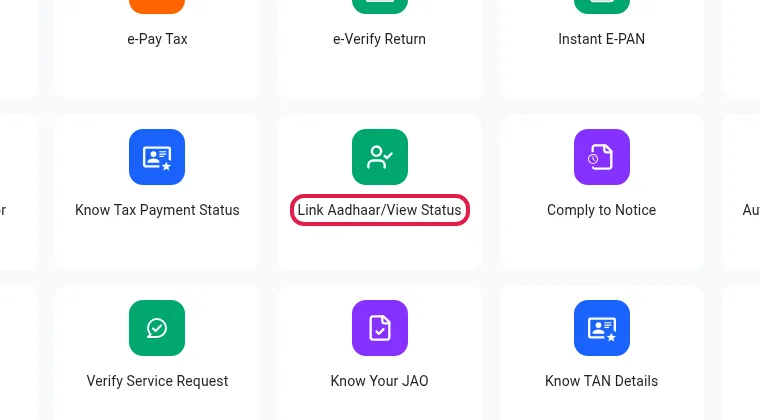
Screenshot of incometax.gov.in, 14 Oct 2026. The red outline is ours. -
On the Link Aadhaar/View Status page, click Continue under Link Aadhaar.
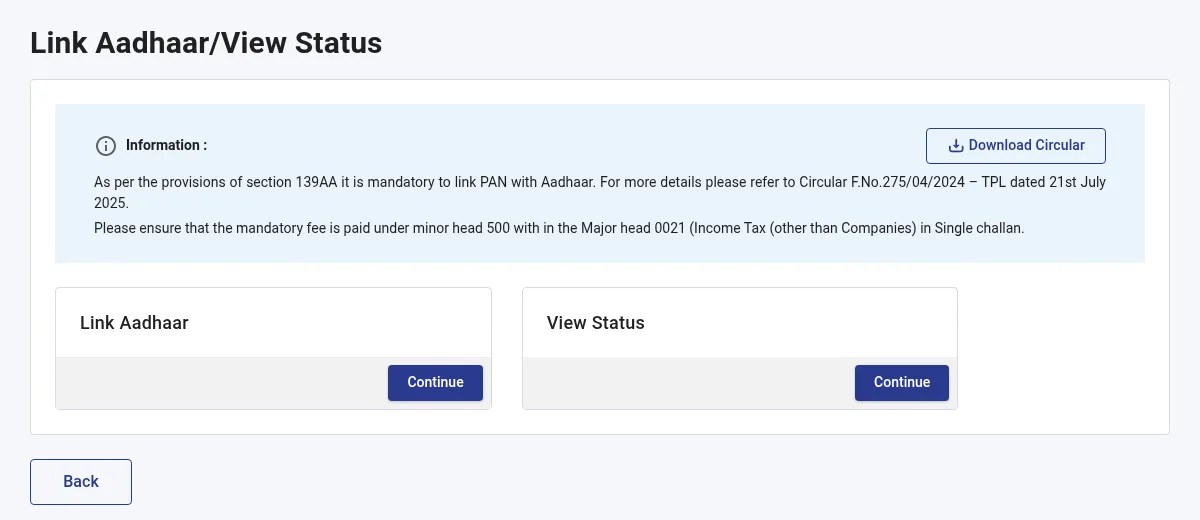
Screenshot of incometax.gov.in, 14 Oct 2026. -
Type your PAN and Aadhaar number and click Validate.
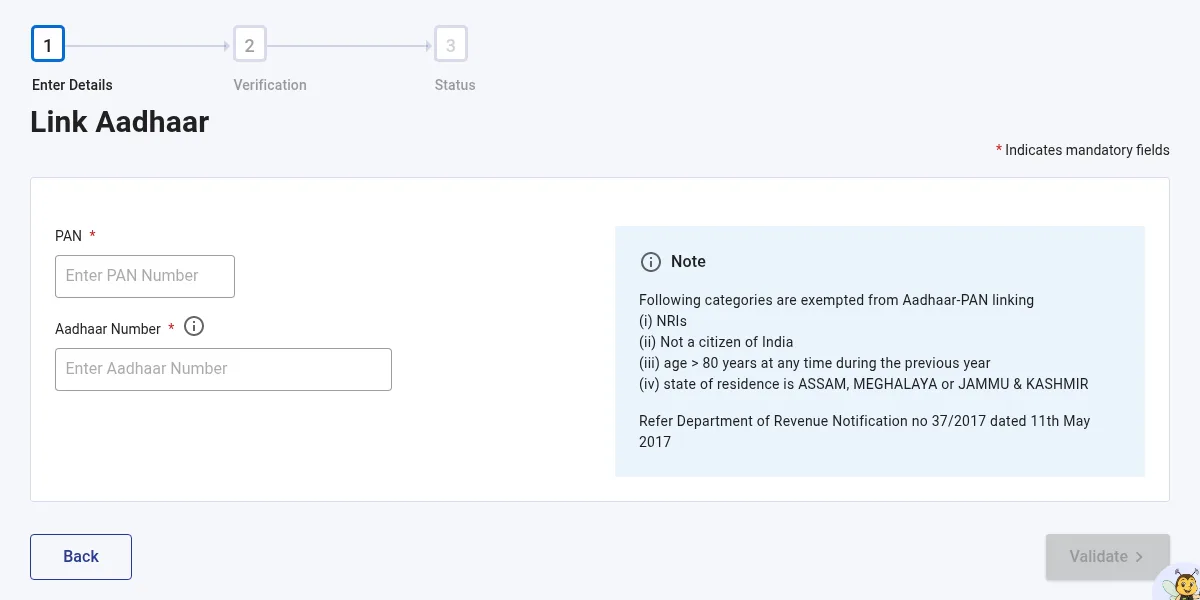
Screenshot of incometax.gov.in, 14 Oct 2026. -
If you have not paid yet, the portal says it could not find your payment. Click Continue to Pay Through e-Pay Tax.
-
Type your PAN again, confirm it, and enter your mobile number. Type the OTP you get by SMS.
-
On the e-Pay Tax page, click Proceed on the Income Tax box.
-
Choose the Tax Year the portal shows. For Type of Payment choose Other Receipts (500). For Sub type of Payment choose Fee for delay in Linking Pan with Aadhaar. Click Continue.
-
The amount is already filled in. Click Continue, choose how you want to pay (net banking, debit card, UPI and so on) and pay.
-
Save the challan receipt the portal gives you.
Wait 4 to 5 working days after paying. The portal needs that time to see your payment.
Part 2: Link PAN and Aadhaar
- Go back to the portal and click Link Aadhaar/View Status, then Continue under Link Aadhaar, as in Part 1.
- Type your PAN and Aadhaar number and click Validate.
- A message says your payment details are verified. Click Continue.
- Fill in the details the form asks for, including a mobile number, and click Link Aadhaar.
- Type the 6-digit OTP sent to that mobile number and click Validate.
- The portal shows: "Request for link of Aadhaar has been submitted successfully, now you can check the Aadhaar-PAN link status." UIDAI (the Aadhaar authority) then checks the request.
Part 3: Check that it worked
- On the portal home page, click Link Aadhaar/View Status, then Continue under View Status.
- Type your PAN and Aadhaar number and click View Link Aadhaar Status.
- If the link is done, the portal shows that your PAN is linked to your Aadhaar. If it says the request is still pending with UIDAI, check again later. If it failed, click Link Aadhaar and do Part 2 again.
If something goes wrong
- "Payment details not found" after you paid: wait 4 to 5 working days and try again.
- PAN already linked to a different Aadhaar: only the Income Tax Department can fix this. Contact your Jurisdictional Assessing Officer (the portal's Know Your JAO link on the home page shows who that is).
- Make sure you type your own, correct Aadhaar number. Undoing a link to the wrong Aadhaar needs your Assessing Officer.
- Help: the e-Filing helpdesk is on 1800 103 0025 and 1800 419 0025 (8 am to 8 pm, Monday to Friday).
Good to know
- If you get a new PAN today, the portal links it to your Aadhaar during the application.
- Use only incometax.gov.in. The Income Tax Department says its official emails never contain links. If an email or message asks you to click a link to "link PAN", treat it as a scam.