How to file an RTI application online
Ask a Central Government ministry or department for information under the RTI Act, for ₹10, on the RTI Online portal.
ಅಧಿಕೃತ ಮೂಲ: RTI Online (Department of Personnel & Training)
The Right to Information (RTI) Act, 2005 lets any Indian citizen ask a government office for information. For Central Government ministries, departments and other central public authorities, you can file your RTI online at RTI Online, run by the Department of Personnel & Training (DoPT).
Before you start
- This portal is only for the Central Government. The portal warns that RTIs filed here for State Government offices (including the Government of NCT of Delhi) are returned without refunding the fee. For a state office, use that state's own RTI system.
- You do not need to create an account.
Documents you will need
- An email address. The portal sends you an OTP on it.
- A mobile number (optional, for SMS updates).
- A BPL certificate, only if you are below the poverty line and want to file free (PDF, up to 1 MB).
- Your questions, written clearly. The text box takes up to 3,000 characters. Only letters, numbers and the characters
, . - _ ( ) / @ : & ? \ %are allowed. A longer application can be uploaded as a PDF. - Do not upload your Aadhaar card, PAN card or any other ID (the BPL card is the only exception).
The fee
- ₹10, as prescribed in the RTI Rules, 2012. Pay by internet banking, a credit or debit card (Mastercard, Visa or RuPay) or UPI.
- Free for citizens below the poverty line (BPL). Choose Yes for "Is the Applicant Below Poverty Line?" and upload a copy of your BPL certificate (PDF, up to 1 MB).
- If the information costs more to provide (for example, many photocopies), the officer tells you the additional fee through the portal.
Steps
-
Open RTI Online and click Submit Request.
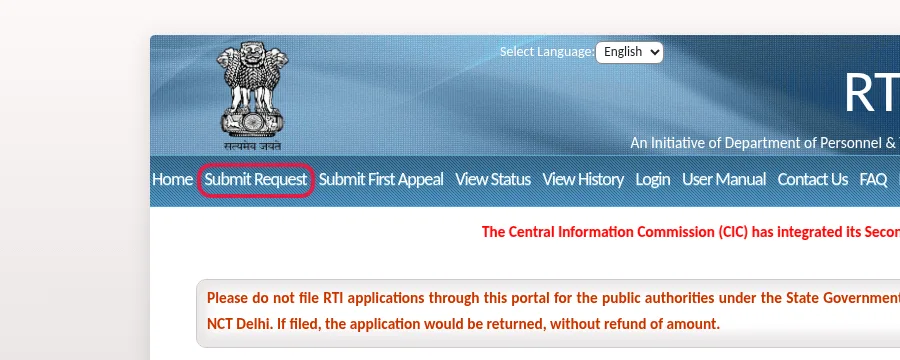
Screenshot of rtionline.gov.in, 14 Oct 2026. The red outline is ours. -
Read the guidelines, tick I have read and understood the above guidelines, and click Submit.
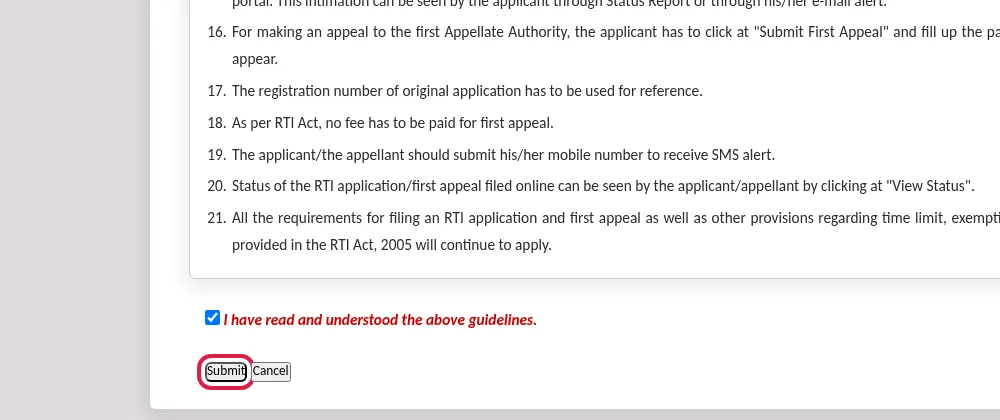
Screenshot of rtionline.gov.in, 14 Oct 2026. The red outline is ours. -
Enter your email address, your mobile number if you want SMS alerts, and the security code. Click Submit, then enter the OTP sent to your email.
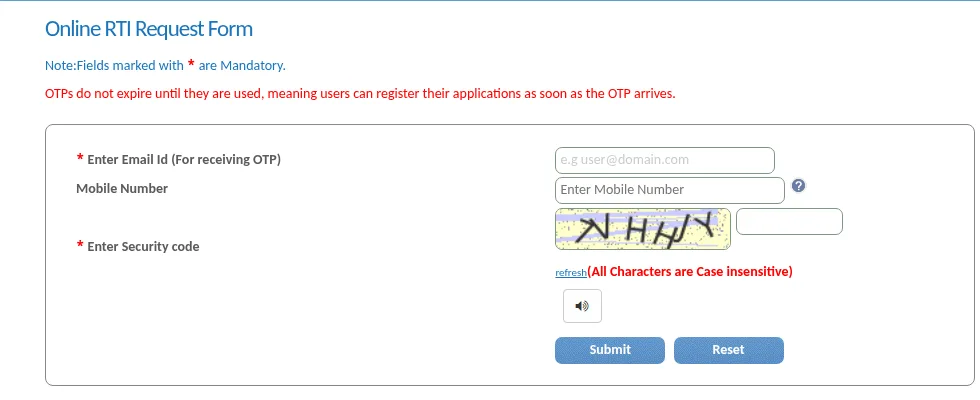
Screenshot of rtionline.gov.in, 14 Oct 2026. -
In the request form, choose the Ministry/Department/Apex body you want information from.
-
Fill in your details. Answer "Is the Applicant Below Poverty Line?" (Yes or No).
-
Type your questions in Text for RTI Request application, or upload them as a PDF under Supporting document.
-
Click Make Payment and pay ₹10. (BPL applicants click Submit instead.)
-
You get a registration number by email (and SMS if you gave your mobile). Keep it safe.
After you file
- Your application goes to the Nodal Officer of that ministry, who sends it to the right CPIO (Central Public Information Officer).
- If you chose the wrong office, it is transferred to the right central office. You get a new registration number.
- If several officers hold the information, you may get several registration numbers for one application.
- Check progress: click View Status, enter your registration number and email, and confirm the OTP.
- The portal keeps your requests and appeals for 3 years.
If you get no reply or a bad reply: First Appeal
- Click Submit First Appeal on the portal.
- Enter the registration number and email address of your original application.
- Choose your reason under Ground For Appeal and explain it (up to 3,000 characters, or upload a PDF).
- Submit. A first appeal is free.
If the officer has not replied, you can appeal only after the 30-day period is over. A first appeal can be filed online only for an RTI you filed online.
If something goes wrong
- Money deducted but no registration number: do not pay again. Wait 24 to 48 working hours, or check with Payment Reconciliation on the portal. If it still does not come, email helprtionline-dopt[at]nic[dot]in with your transaction details.
- "Supporting documents required from applicant": open View Status, and upload the document there.
- The helpline email is only for problems with the portal itself.